

PART 1 — Introduction to Coohom
What Is Coohom? A Modern Revolution in 3D Design and Visualization
In the constantly evolving world of interior design, architectural planning, and digital product visualization, few platforms have made an impact as powerful and transformative as Coohom. Originally created to help designers produce high-quality 3D visuals more efficiently, Coohom has grown into a complete ecosystem of tools that serve millions of users worldwide. Today, it is not just a design platform—it is a full solution for visualization, rendering, modeling, automations, and marketing assets. Whether you’re a professional interior designer, architect, e-commerce seller, real estate marketer, or simply someone who enjoys visual creativity, Coohom offers everything needed to bring ideas to life with unmatched speed, clarity, and realism.
At its core, Coohom is a cloud-based 3D design platform that provides a fast and intuitive environment for creating hyper-realistic renderings, floor plans, AI-driven designs, and virtual experiences. Unlike traditional 3D software that could take hours—or sometimes days—to render a single scene, Coohom leverages advanced cloud computation to generate 4K and 8K renders in minutes. This alone has positioned it among the most modern and efficient design platforms available today.

Why Coohom Matters in 2025
The demand for 3D visualization has exploded over the last several years. Clients, homeowners, brands, and consumers expect photorealistic visuals before making decisions. People no longer want simple sketches or rough layouts—they want to “see it before they buy it.” This shift has made platforms like Coohom essential rather than optional.
In 2025, Coohom stands out because:
- It democratizes 3D design—even beginners can use it
- It speeds up professional workflows by 10x–20x
- It provides ready-made tools for industries such as real estate, retail, architecture, and furniture manufacturing
- It supports AI tools that create instant design concepts
- It allows users to complete entire projects online without powerful hardware
Companies, design studios, and freelancers now rely on Coohom to deliver visually stunning results quickly and cost-effectively. The platform has become especially popular because of its ability to produce consistent, photorealistic imagery without requiring users to learn complicated 3D modeling or rendering software.
Who Uses Coohom? A Platform Built for Everyone
One of the unique aspects of Coohom is that it is not built solely for expert designers. Instead, it is designed in a way that welcomes both beginners and professionals equally. Here are the key groups that actively use Coohom today:
1. Interior Designers
Professional designers use Coohom to create beautiful room layouts, mood boards, and ultra-realistic final renders for clients. The speed and quality of Coohom renderings dramatically reduce project timelines.
2. Architects
Architects use Coohom for space planning, floor plan development, construction visualization, and architectural presentations. The 2D-to-3D conversion tools are especially valuable.
3. Real Estate Agents & Marketers
Coohom is widely used for creating virtual staging, enabling real estate professionals to present properties in fresh, modern styles without needing physical furniture.
4. Furniture Brands & Manufacturers
Brands use Coohom for product visualization—creating 3D models, product photos, AR-ready assets, and 360-degree views for e-commerce platforms.
5. E-Commerce Sellers
Amazon, Shopify, Wayfair, and Alibaba sellers use Coohom to produce high-quality product images, lifestyle scenes, and marketing graphics.
6. Freelancers
Freelancers offering 3D services, interior visualization, and product mockups find Coohom ideal because it produces fast results and requires minimal hardware power.
7. Beginners and Enthusiasts
Even without design experience, new users can quickly learn Coohom because it uses drag-and-drop tools and easy pre-built room templates.
In short, Coohom is used by anyone who needs beautiful visuals—whether for professional work, business, or personal exploration.
Why Coohom Became So Popular So Quickly
Coohom’s rapid global adoption isn’t accidental. It is the result of several key strengths that designers and businesses value highly:
✔ Speed
Rendering that once took hours now takes minutes.
✔ Realism
Coohom’s render engine produces life-like lighting, shadows, textures, and depth.
✔ Accessibility
Being cloud-based means, anyone can use it—no expensive hardware required.
✔ Large Model Library
With millions of models, materials, furniture assets, and décor items, Coohom offers instant creative freedom.
✔ AI Tools
AI-assisted design allows users to generate layouts, styles, and even full room concepts automatically.
✔ Business Integrations
Furniture brands can integrate Coohom into their catalogs, websites, or product pipelines.
✔ User-Friendly Interface
The learning curve is incredibly short—beginners can achieve professional results within hours.
These factors have made Coohom the preferred choice for designers, freelancers, and businesses around the world.
The Rising Demand for High-Quality Visual Content
Brands, designers, and sellers in 2025 must compete with rising expectations from customers. Social media, e-commerce, and digital marketing demand high-quality images that stand out. Coohom makes it possible to produce premium visual content without investing in:
- Expensive cameras
- Expensive lighting
- Physical photo studios
- Complicated rendering machines
This has dramatically lowered the barrier to entry for anyone who wants to create stunning visuals for marketing, design proposals, or online listings.
Conclusion of Part 1
Coohom is not just a tool—it is a complete creative ecosystem that empowers people to design, visualize, and present their ideas with speed and professional quality. As we move deeper into 2025, Coohom remains one of the most powerful platforms for 3D design, architectural visualization, product rendering, and digital marketing.
PART 2 — Full Overview of Coohom Features (Approx. 900 Words)
If there is one reason Coohom has become a global favorite among designers, architects, and product brands, it is the massive list of powerful features built into the platform. Coohom is not a simple 3D planner; it is an all-in-one environment where ideas turn into photorealistic visuals in minutes. With advanced rendering engines, AI-powered tools, a massive model library, and industry-specific capabilities, Coohom sets a new standard for modern design workflows.
This part will explore all major Coohom features in depth, providing a complete understanding of what the platform can do.
1. Coohom’s Cutting-Edge 3D Rendering Engine
Coohom’s rendering engine is the heart of the platform. Unlike traditional software that relies heavily on the user’s computer power, Coohom uses cloud-based rendering, which means:
- No need for powerful hardware
- Faster processing
- Consistent output quality
- The ability to render multiple scenes simultaneously
Coohom supports:
✔ HD Rendering
Great for quick previews and drafts.
✔ 4K Rendering
Ultra-clear quality perfect for presentations, client proposals, and portfolios.
✔ 8K Rendering
Exceptional quality used by architects, furniture brands, and marketing teams.
What makes Coohom rendering special is the light simulation engine, which recreates natural lighting, shadows, reflections, and textures with incredible realism. Whether you’re designing a bedroom, kitchen, showroom, or outdoor space, Coohom produces results that look like real photographs.
2. Massive 3D Model & Material Library
Coohom has one of the largest 3D libraries in the world, containing:
- Furniture
- Appliances
- Lighting fixtures
- Décor items
- Flooring
- Wallpapers
- Architectural elements
- Outdoor items
- Materials
- Textures
- Brand-certified models
The library includes millions of items, updated every week. Designers can drag and drop assets into their projects instantly, enabling fast concept creation and endless customization.
What sets Coohom apart:
- Assets load quickly
- Models are lightweight but high-quality
- Materials respond realistically to lighting
- Many brand models match real-world products
This gives users more creative freedom and reduces the need for complex modeling.

3. Floor Plan Creation (2D & 3D)
Coohom offers a complete suite for creating detailed floor plans. This tool is especially valuable for architects, interior designers, and real estate professionals.
Key features include:
- Drawing walls with exact measurements
- Adding doors, windows, and openings
- Defining room types
- Smart dimension tools
- Automatic 2D-to-3D conversion
- Realistic ceiling and wall height configuration
Users can upload existing plans or start from scratch. The instant transition between 2D and 3D views provides a smooth workflow, allowing designers to test ideas without repeating steps.
4. Advanced AI Design Tools
AI is now one of Coohom’s strongest features. The platform integrates several AI-driven tools to speed up design processes:
⭐ AI Auto-Design
Automatically generates room styles and layouts based on user preferences.
⭐ AI Material Matching
Chooses textures and colors that fit the style of the scene.
⭐ AI Furniture Placement
Automatically arranges furniture in a realistic layout.
⭐ AI Floor Plan Recognition
Uploads an image or sketch → Coohom converts it into a full 2D plan.
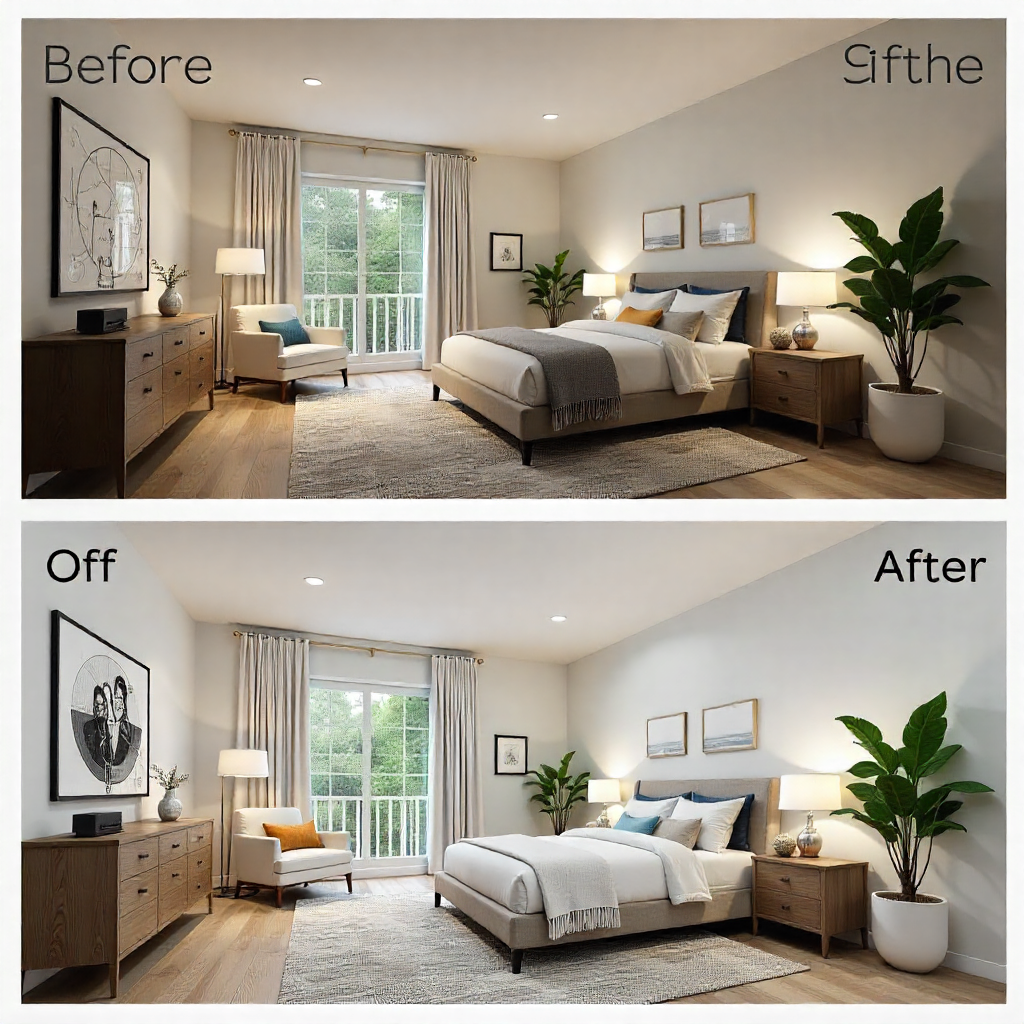
⭐ AI Staging (Virtual Staging)
Transforms an empty space into a fully furnished room with one click.
The introduction of AI makes Coohom perfect for beginners who want fast results and for professionals who want to accelerate their workflow.
5. AR & VR Features
Coohom allows users to generate immersive experiences:
✔ 360° Virtual Tours
Great for real estate, architecture, and furniture showrooms.
✔ VR Walkthroughs
Clients can explore designs in a virtual environment.
✔ WebAR Product Display
Brands can showcase products using augmented reality—customers view furniture directly in their room using mobile devices.
These features increase engagement and trust, especially for businesses selling products online.
6. Custom Modeling & Advanced Tools
Although Coohom is easy for beginners, it also includes strong tools for advanced users:
⭐ Model Editor
Modify shapes, materials, and dimensions.
⭐ Material Editor
Create custom textures and finishes.
⭐ Lighting Tools
Control brightness, color temperature, and direction of light.
⭐ Camera Tools
Set angles, focal length, field of view, and depth for professional scenes.
For those who already use modeling software like SketchUp or Blender, Coohom allows importing:
- . skp
- .obj
- . fbx
- .3ds
This makes Coohom flexible for freelancers and studios with existing design workflows.
7. Marketing & Presentation Tools
Coohom is not only for designers—it is also built for marketers. It includes:
- Mood boards
- Flyers & brochures
- Interactive presentations
- Client review portals
- Product showcases
- Catalog creation tools
These features help users produce shareable content for websites, social media, and printed materials.
8. Team Collaboration & Business Tools
Coohom supports team-based workflows through:
- Shared projects
- Project permissions
- Cloud storage
- Multi-user editing
- Design libraries for companies
This makes it ideal for agencies, design studios, and large organizations.
Conclusion of Part 2
Coohom’s wide range of features is what makes it one of the most complete and versatile 3D design platforms available today. From rendering to AI, floor plans to AR, and model editing to marketing tools, Coohom provides everything designers, businesses, and creators need to work faster and deliver stunning visuals.
PART 3 — How Coohom Works
Understanding how Coohom works is the key that unlocks the platform’s full power. While Coohom is known for its beautiful renders and massive 3D model library, its real strength lies in how simple and intuitive the entire workflow is—from the moment you open the dashboard to the final export of an 8K render. In this section, we will break down the exact steps of using Coohom, walk through the entire design pipeline, and explore how both beginners and professionals can complete full 3D interior projects without stress or complicated learning curves.
1. Getting Started: Dashboard & Interface Overview
When you log into Coohom for the first time, you are welcomed by a clean, structured dashboard designed to make navigation easy. The main menu includes:
- Projects: Where all your designs are stored.
- Model Library: Furniture, décor, materials, lighting, structures, textures, and more.
- Rendering Center: All completed and ongoing render tasks.
- Brand Library: Exclusive branded furniture catalogs.
- Tools: Floor Planner, 3D Editor, AI Design Tools, AR/VR outputs.
The interface is beginner-friendly: no clutter, no overwhelming toolbars. Everything is organized visually, making it simple for anyone to start creating immediately.
2. Starting a New Project
Creating your first design is extremely straightforward. Simply click:
Create → Project → Choose Tool
You can start from:
- 2D Floor Planner (to draw layouts)
- 3D Room Editor (to place furniture and design)
- Template Rooms (pre-built scenes you can modify)
Coohom allows you to either begin with a blank canvas or import existing floor plan images. Many designers appreciate this flexibility because it allows them to recreate real homes or commercial spaces accurately.
3. Drawing the Floor Plan
Whether you upload a floor plan or draw from scratch, the floor planner is incredibly precise. You can:
- Set wall thickness
- Add doors, windows, and openings
- Combine or divide rooms
- Input exact dimensions
- Add curved or angled walls
- Apply surface finishes
The floor plan updates automatically between 2D and 3D views. This instant synchronization saves massive time and eliminates guesswork during the design process.
4. Furnishing and Decorating the Space
This is where Coohom truly shines. With a single click, you gain access to millions of:
- Furniture models (sofas, beds, tables, cabinets, office items)
- Accessories (rugs, pillows, frames, plants, vases)
- Kitchen & bath components
- Lighting fixtures
- Structural elements (stairs, beams, columns)
- Material textures (marble, wood, fabric, tiles)
You can drag and drop anything into the room. Everything snaps into place naturally due to Coohom’s smart positioning technology.
Coohom also allows easy customization such as:
- Adjusting furniture size
- Changing colors and finishes
- Replacing materials
- Rotating and elevating decoration items
- Grouping objects

5. Camera Controls & Scene Composition
Before rendering, the scene must be composed properly. Coohom makes camera control simple:
- Orbit view around the room
- Pan to reposition
- Adjust elevation
- Set focal lengths
- Establish multiple camera angles
You can save various shots to render later, helping you create a full presentation with multiple perspectives.
Coohom also allows lighting manipulation:
- Natural sunlight direction
- Time of day adjustments
- Light intensity and color temperature
- Adding artificial lights like spotlights, ceiling lamps, LED strips
This combination gives you unlimited creativity in establishing mood and atmosphere.
6. Using the Advanced Render Engine (4K/8K)
When the scene is ready, move to the Render button. Coohom gives multiple rendering modes:
Standard Render
Quick, clean, ideal for drafts.
Ultra HD Render (4K–8K)
Extremely photorealistic, suitable for professional work, marketing, or client presentations.
Panoramic Render
Perfect for 360° virtual tours.
Animation Render
Create walk-through videos of the space.
You can also customize:
- Resolution
- Noise reduction
- Sharpness level
- Exposure
- Depth of field
- Environmental lighting presets
Rendering is fast due to cloud computing—no need for a heavy PC.
7. Exporting Your Work
After rendering finishes, Coohom allows users to export in multiple formats:
- PNG/JPG (Photos)
- PDF (Full presentation)
- Panorama link (360° view)
- MP4 (Walk-through animation)
- GLB/OBJ (3D model exports)
This flexibility makes it useful not only for designers, but also:
- eCommerce stores
- Furniture sales teams
- Real estate agents
- Marketing agencies
- Architects
- Students
- Showroom businesses
8. Coohom’s Workflow Summary
Here is the workflow in a simple sequence:
- Create project
- Draw or import floor plan
- Furnish the space
- Adjust materials and colors
- Set cameras and lighting
- Render in 4K or 8K
- Export images, videos, or 3D models
The entire process feels like designing in real life, but faster and far more flexible.
9. Who Benefits Most from the Workflow?
Coohom’s workflow is ideal for:
- Beginners
- Interior designers
- Architects
- Students
- Homeowners
- Furniture brands
- Real estate marketers
- Content creators
Whether you’re doing a simple bedroom design or a commercial 3D walkthrough, the platform gives you everything you need.
PART 4 — Coohom for Interior Designers & Architects
Designers and architects have always relied on precise tools to bring ideas from concept to reality. In 2025, Coohom has emerged as one of the most powerful platforms for professionals in interior design and architecture. Its combination of user-friendly interfaces, AI tools, high-quality rendering, and collaborative features allows creatives to produce stunning, client-ready visuals faster than ever before. In this part, we will explore how interior designers and architects use Coohom, including workflows, case studies, and real-world applications.
1. How Interior Designers Use Coohom
Interior designers use Coohom to:
- Quickly visualize concepts before presenting to clients
- Experiment with layouts, color schemes, and furniture arrangements
- Generate multiple design variations for comparison
- Create photorealistic renderings suitable for portfolios, proposals, or marketing
Coohom’s drag-and-drop library allows designers to test furniture styles, fabrics, textures, and lighting in real time. This reduces the trial-and-error stage and accelerates decision-making. Instead of sketching ideas manually or relying solely on 2D drawings, designers can instantly see how their concepts look in a realistic 3D environment.

2. Portfolio Creation Made Simple
A designer’s portfolio is their calling card. Coohom makes it easy to produce high-quality visuals that showcase skills and creativity. Features that aid in portfolio creation include:
- Multiple camera angles: Capture each room from several perspectives.
- Lighting presets: Show spaces at different times of the day.
- Material variations: Experiment with textures, colors, and finishes.
- Export options: Produce PNG, JPG, or PDF files directly suitable for portfolios.
Many designers report that using Coohom significantly improves the perceived professionalism of their portfolio, which can lead to more clients and higher-paying projects.
3. Client Presentations & Communication
Effective client communication is vital for design approval. Coohom simplifies this process with:
- Interactive 3D walkthroughs: Clients can virtually “walk” through a designed space.
- 360° panoramic views: Provides immersive perspectives of the interior.
- Annotated renders: Designers can mark changes or highlight areas within the 3D view.
- Cloud sharing: Share designs with clients anywhere in the world instantly.
These features reduce misunderstandings and accelerate approvals, saving both time and money. Clients feel confident about the final design because they can visualize it realistically before implementation.
4. Architects Rely on Coohom for Precision
For architects, accurate floor plans, layouts, and spatial design are critical. Coohom provides:
- 2D-to-3D conversions: Import a blueprint or sketch, and automatically generate a 3D model.
- Accurate measurements: Walls, ceilings, doors, windows, and staircases follow real-world dimensions.
- Structural elements: Include beams, columns, walls, and more for architectural accuracy.
- Lighting and environmental simulation: Mimic natural light at different times of day or simulate artificial lighting.
With these capabilities, architects can not only design interiors but also coordinate the structural aspects of a building while presenting visually appealing designs to clients or contractors.
5. Case Study: Residential Interior Design Example
Imagine a small residential project: a modern apartment with 2 bedrooms, a living room, kitchen, and bathroom. Using Coohom, a designer can:
- Upload the floor plan
- Drag and drop furniture from Coohom’s library
- Experiment with colors, flooring, and wall finishes
- Adjust lighting to simulate morning, afternoon, and evening scenarios
- Generate multiple 4K renders to present variations to the client
The result: a professional-level visualization that helps the client make decisions confidently and quickly. Coohom eliminates the need for physical mockups or repeated on-site revisions.
6. Collaboration for Teams
Many design firms have multiple team members working on the same project. Coohom supports:
- Cloud collaboration: Multiple designers can access a project simultaneously.
- Version control: Track changes and updates without losing previous iterations.
- Shared libraries: Team members can access the same furniture, textures, and templates.
- Role-based permissions: Assign editing or viewing rights to different users.
This collaborative approach ensures that large projects run smoothly and efficiently, reducing errors and redundant work.
7. Efficiency and Time Savings
Time is a critical factor for interior designers and architects. Coohom allows professionals to:
- Reduce project turnaround time by 50–70%
- Generate multiple design options quickly
- Avoid costly mistakes through realistic visualization
- Produce marketing-ready images without hiring external rendering specialists
The speed and precision of Coohom allow designers to take on more clients and projects, increasing both productivity and revenue potential.
8. Educational Use for Designers and Students
Coohom isn’t just for professionals—it’s also widely used in design education:
- Interior design schools use Coohom to teach students about spatial planning
- Architecture students learn realistic lighting, textures, and material applications
- Students can create portfolios and present projects with photorealistic quality
This makes Coohom a tool that bridges learning and professional practice seamlessly.
9. Why Interior Designers and Architects Prefer Coohom
To summarize, the platform’s appeal lies in:
- High-quality, realistic renders
- AI tools for automation and design assistance
- Cloud-based computing, reducing hardware constraints
- Versatile tools for both interiors and structural planning
- Easy collaboration for teams
- Efficient workflow from concept to client presentation
Coohom effectively empowers designers and architects to focus on creativity rather than technical hurdles, making it a must-have tool in 2025.
PART 5 — Coohom for Brands, eCommerce & Furniture Manufacturers
While interior designers and architects are among Coohom’s most prominent users, the platform has quickly become an essential tool for brands, eCommerce sellers, and furniture manufacturers. In 2025, the demand for high-quality product visualization has never been higher. Consumers expect lifelike images and interactive experiences before making a purchase, and Coohom delivers this with ease. This section explores how businesses leverage Coohom, highlighting practical use cases, commercial applications, and the benefits of integrating the platform into marketing and sales workflows.
1. Product Visualization Made Simple
Furniture brands and product manufacturers often face the challenge of presenting their products in real-life settings without physically staging every scene. Coohom addresses this problem with:
- Drag-and-drop 3D product placement: Add furniture, decor, and accessories to any space instantly.
- Multiple viewing angles: Showcase products from every perspective to highlight design details.
- High-quality materials: Accurate textures, colors, and finishes that mirror the real product.
- Dynamic lighting: Visualize products under various lighting conditions to convey realism.
For example, a sofa manufacturer can create a photorealistic living room scene with their latest sofa collection, showing customers exactly how it would look in a modern home. This eliminates the need for expensive physical photoshoots while maintaining professional quality.

2. eCommerce and Online Retail Integration
In today’s digital-first retail world, online buyers rely heavily on visuals to make purchasing decisions. Coohom provides businesses with tools to:
- Generate 360° product images for eCommerce platforms like Shopify, Amazon, and Wayfair.
- Create web-ready images in PNG/JPG formats for product listings.
- Develop 3D interactive catalogs so customers can rotate and examine products digitally.
- Implement AR-ready assets that allow shoppers to view items in their homes using mobile devices.
These capabilities increase customer engagement, reduce returns, and ultimately drive higher sales conversions. For furniture and home decor sellers, integrating Coohom visuals into their online platforms is becoming a standard practice.
3. AR and VR for Commercial Use
Coohom is not limited to static renders—it also supports augmented reality (AR) and virtual reality (VR) applications for commercial purposes:
- Virtual Showrooms: Allow customers to explore an entire showroom without visiting a physical store.
- AR Placement Tools: Enable buyers to see products in their own living spaces via smartphones or tablets.
- VR Walkthroughs: Ideal for furniture brands presenting large-scale collections or home setups to clients or investors.
Brands that use AR/VR experiences report higher engagement rates, as customers feel more confident in their purchasing decisions. This technology also helps small and medium-sized businesses compete with larger retailers by offering premium, interactive experiences.
4. Catalog and Marketing Material Creation
Marketing content is vital for both B2B and B2C brands. Coohom allows businesses to:
- Build custom catalogs with realistic furniture arrangements
- Export brochures and promotional PDFs
- Generate social media content directly from the platform
- Produce interactive presentations for potential clients or partners
By using Coohom for marketing, brands save time and resources, while maintaining high-quality visuals that attract attention and communicate product value effectively.
5. Customizable Furniture and Product Prototypes
Coohom’s modeling and material tools allow brands to:
- Create custom furniture prototypes before production
- Experiment with new materials, colors, and designs digitally
- Test layouts and product placement within virtual spaces
- Collaborate with designers, engineers, and marketing teams in real-time
This digital prototyping not only accelerates the design process but also reduces costs associated with producing multiple physical prototypes. It also allows faster iteration cycles, ensuring products reach the market more quickly.
6. Case Study: Small Furniture Brand Success
Consider a small furniture startup introducing a new line of modern office chairs. Using Coohom, the brand can:
- Build a virtual office space using the 3D editor
- Place chairs in multiple layouts to showcase style and function
- Render high-quality 4K images for their eCommerce website
- Create AR content for customers to visualize chairs in their own offices
- Share catalog PDFs and interactive presentations with B2B partners
The result: professional-level marketing material produced without expensive studios, photographers, or physical mockups. This approach allows the startup to compete with established brands while saving time and money.
7. Collaboration Between Marketing, Design, and Sales Teams
Coohom also supports teamwork and collaboration:
- Shared project folders: All teams work in one place
- Version control: Track changes and keep previous designs
- Role-based permissions: Ensure only authorized members edit or review projects
- Cloud storage: Accessible from anywhere, perfect for remote teams
This enables seamless communication between designers, marketers, and sales teams, reducing errors and speeding up project delivery.
8. Efficiency, Cost Savings, and ROI
For businesses, efficiency translates to tangible financial benefits:
- No need for multiple photoshoots or physical staging
- Reduced product prototype costs
- Faster marketing material production
- Higher engagement and conversion through AR/VR experiences
- Streamlined team collaboration
Investing time in Coohom reduces operational costs while improving output quality, offering a strong return on investment for brands and eCommerce businesses.
9. Why Brands Choose Coohom Over Competitors
Businesses prefer Coohom because:
- It combines 3D design, rendering, AR/VR, and marketing tools in one platform
- Cloud-based architecture eliminates expensive hardware needs
- AI-assisted design accelerates the workflow
- Provides professional-grade visuals for both internal and external stakeholders
- Integration-ready for eCommerce platforms and social media
In 2025, using Coohom is no longer just an option—it’s a competitive advantage for brands wanting to stand out in a crowded digital marketplace.
PART 6 — Coohom Plans Breakdown (Free vs Pro vs Business)
Understanding Coohom’s subscription plans is crucial for anyone looking to leverage the platform effectively. Whether you are a beginner exploring 3D design, a professional interior designer, or a furniture brand, Coohom offers tiered plans that cater to different user needs. In this section, we will provide a detailed comparison of the Free, Pro, and Business plans, explain their features, and guide readers on choosing the best plan for their requirements.
1. Free Plan — Ideal for Beginners and Students
The Free plan is perfect for those just getting started with Coohom. It allows users to explore the platform’s basic functionalities without any upfront investment. Key features include:
- Access to the 3D editor: Design rooms and spaces with a wide selection of furniture and decor items.
- Basic rendering options: Standard HD renders suitable for drafts or personal projects.
- Limited floor plans: Create and edit small floor plans.
- Sample material library: Limited textures and finishes available.
- Export options: Images in lower resolution, suitable for presentations or practice.
The Free plan is particularly beneficial for students, hobbyists, or small projects. It allows users to get a feel for Coohom without committing financially, while still producing professional-looking visuals.
2. Pro Plan — Perfect for Professionals
The Pro plan is designed for individual professionals, interior designers, architects, and small teams. This plan unlocks advanced features for creating higher-quality designs and client-ready presentations. Features include:
- 4K and 8K rendering: Produce photorealistic images suitable for portfolios, client proposals, and marketing materials.
- Expanded model library: Access millions of premium furniture and decor assets.
- Advanced AI tools: Auto-design, AI furniture placement, and material matching.
- Larger floor plans: Create and manage complex layouts without limitations.
- Multiple camera angles: Set up dynamic shots for presentations.
- Export options: High-resolution images, PDFs, and panorama views.
- Cloud storage: Save and organize multiple projects securely.
The Pro plan is ideal for freelancers and professionals who need high-quality output and advanced design tools. It allows designers to work efficiently and meet client expectations without additional software.
3. Business Plan — Designed for Teams and Companies
The Business plan is aimed at companies, agencies, and large teams that require collaboration and enterprise-level capabilities. Key features include:
- Unlimited rendering: High-volume renders for large projects or multiple clients.
- Full model library access: All premium and brand-specific assets.
- Team collaboration: Multiple users can work on the same project simultaneously.
- Project management tools: Version control, role-based permissions, and cloud storage.
- AR/VR capabilities: Generate immersive experiences for clients or marketing campaigns.
- Marketing & presentation tools: Catalog creation, brochures, and social media-ready content.
- Priority support: Faster assistance for technical issues or platform guidance.
This plan is perfect for design agencies, furniture manufacturers, eCommerce businesses, and corporate teams who need advanced collaboration and full creative control.
4. Pricing Overview
While specific pricing may vary slightly by region or promotions, the general 2025 pricing structure is as follows:
| Plan | Price (Monthly) | Best For |
| Free | $0 | Beginners, students, hobbyists |
| Pro | ~$49–$79 | Freelancers, individual designers |
| Business | ~$149–$299 | Agencies, teams, companies |
Coohom also offers annual subscription discounts, which reduce costs by up to 20% for long-term users. Businesses often find the Business plan to be a cost-effective solution, given the number of team members and collaborative features it provides.
5. Which Plan Should You Choose?
Free Plan:
- You’re new to 3D design.
- You want to experiment without cost.
- You need basic rendering for personal or learning purposes.
Pro Plan:
- You’re a professional designer, architect, or freelancer.
- You need high-resolution renders for client presentations or portfolios.
- You want access to premium models and AI tools.
- You require more floor plan flexibility.
Business Plan:
- You manage a team or agency.
- You need collaborative tools and role-based permissions.
- You require unlimited renders and advanced AR/VR outputs.
- You want marketing tools, client portals, and catalog generation capabilities.
6. Benefits of Upgrading from Free to Paid Plans
Upgrading from Free to Pro or Business provides several tangible benefits:
- Faster renders: Paid plans leverage advanced cloud computing for high-resolution outputs.
- Access to premium assets: Professional designers gain a much larger selection of furniture, materials, and textures.
- AI-assisted design: Save time by automating furniture arrangement and layout suggestions.
- Commercial usage: Paid plans allow professional use for clients, agencies, and brands.
- Team management: Collaboration becomes seamless with shared libraries and version control.
For designers and businesses who rely on Coohom daily, these upgrades are essential for maximizing productivity and output quality.
7. Case Example: Freelancer vs Agency
Freelancer (Pro Plan):
- Designs 5–10 rooms per week.
- Uses AI tools to save time on layout generation.
- Renders 4K images for client presentations.
Design Agency (Business Plan):
- Manages multiple client projects simultaneously.
- Uses team collaboration features for consistent workflow.
- Generates 8K renders and AR presentations for clients.
- Produces catalog PDFs for marketing campaigns.
The plans are flexible and scalable, ensuring that every type of user can find the right option.
8. Tips for Choosing the Right Plan
- Evaluate the volume of projects you handle each month.
- Consider whether team collaboration is necessary.
- Determine the required resolution for your final output (HD, 4K, 8K).
- Decide whether AR/VR presentations are essential.
- Check if access to premium models and textures will enhance your workflow.
By answering these questions, you can select the plan that best aligns with your goals and budget.
9. Conclusion of Part 6
Coohom’s tiered plans ensure that everyone—from beginners to large enterprises—can access the tools they need. The Free plan is excellent for newcomers, the Pro plan empowers professionals, and the Business plan provides teams with the collaboration, rendering, and marketing capabilities required for commercial success. Choosing the right plan ensures maximum efficiency, high-quality output, and faster project completion.
PART 7 — Coohom vs Competitors (Comparison Section)
In the world of 3D design and visualization, several platforms compete for the attention of designers, architects, and businesses. While Coohom has rapidly gained popularity, it’s important to understand how it compares to other industry tools. This comparison will help readers see why Coohom stands out and why it has become a preferred choice in 2025.
1. Why Compare Coohom with Other Tools?
Many professionals often ask: “Why not use SketchUp, Blender, or Lumion instead?” While these tools have their merits, Coohom combines multiple features into a single, user-friendly platform, making it ideal for designers and businesses who want speed, quality, and versatility without needing several separate tools.
Key factors for comparison include:
- Ease of use
- Rendering quality
- Model library size
- AI tools
- AR/VR capabilities
- Collaboration & team management
- Cloud-based workflow
2. Coohom vs SketchUp
SketchUp Strengths:
- Highly popular among architects and designers
- Extensive modeling capabilities
- Large community and plugin ecosystem
SketchUp Limitations:
- Requires additional rendering software for photorealistic visuals
- Steeper learning curve for beginners
- Limited AI-assisted tools
- Collaboration features are not as seamless
Coohom Advantages Over SketchUp:
- Cloud-based rendering produces 4K–8K images quickly
- AI tools for furniture placement, materials, and layout design
- Drag-and-drop model library with millions of assets
- Built-in AR/VR and marketing features
- Beginner-friendly interface
For someone who wants fast, professional renders without complex plugins, Coohom is often the better choice.
3. Coohom vs Homestyler
Homestyler Strengths:
- Easy for beginners
- Good for small residential projects
- Simple floor plan and furniture placement
Homestyler Limitations:
- Lower rendering quality
- Smaller model library
- Limited AI tools and customization
- No advanced marketing or AR/VR features
Coohom Advantages Over Homestyler:
- Professional-grade 4K/8K renders
- Extensive furniture and material library
- AI-assisted design for faster workflows
- AR/VR and interactive presentation capabilities
- Scalable for businesses and teams
Homestyler is ideal for hobbyists or casual users, but Coohom suits professionals and businesses.
4. Coohom vs Planner5D
Planner5D Strengths:
- User-friendly for non-professionals
- Supports 2D and 3D floor planning
- Some furniture and decor options
Planner5D Limitations:
- Rendering quality is limited
- Fewer models and materials
- No professional AI tools or advanced lighting simulation
- Limited collaboration and business-focused tools
Coohom Advantages Over Planner5D:
- High-quality rendering suitable for client presentations
- AI tools for layout, furniture placement, and materials
- Cloud-based platform, no heavy hardware required
- Full AR/VR support and marketing features
Coohom appeals to designers and businesses needing serious professional output, not just casual visualization.
5. Coohom vs Blender
Blender Strengths:
- Open-source and free
- Extremely powerful for 3D modeling, animation, and rendering
- Huge community and add-ons
Blender Limitations:
- Steep learning curve; requires professional knowledge
- Workflow is not beginner-friendly
- Rendering can be hardware-intensive
- No built-in AI design tools
Coohom Advantages Over Blender:
- Beginner-friendly drag-and-drop interface
- AI-assisted design to speed up workflow
- Cloud rendering for high-quality outputs
- Specialized tools for interior design, furniture visualization, and eCommerce
While Blender is extremely powerful for full 3D modeling, Coohom is tailored for fast, realistic interior and product visualization without advanced technical knowledge.
6. Coohom vs Lumion
Lumion Strengths:
- High-quality architectural visualization
- Fast local rendering on powerful PCs
- Great for landscape and building visualization
Lumion Limitations:
- Expensive software and hardware requirements
- Limited AI tools
- Not beginner-friendly
- Less focused on product visualization
Coohom Advantages Over Lumion:
- Cloud-based rendering eliminates the need for expensive computers
- AI tools accelerate design and furniture placement
- Integrated model library and AR/VR features
- Beginner-friendly while still delivering professional-grade visuals
Coohom bridges the gap between high-end visualization and accessible, user-friendly design, making it ideal for designers and small to medium businesses.
7. Summary of Strengths vs Competitors
| Platform | Strengths | Weaknesses | Coohom Advantage |
| SketchUp | Modeling, plugins, architecture | Needs extra rendering, steep learning curve | Cloud render, AI tools, AR/VR, beginner-friendly |
| Homestyler | Beginner-friendly, simple layouts | Low render quality, limited assets | Professional renders, AI, marketing tools |
| Planner5D | Easy 2D/3D planning | Limited models, poor render quality | 4K/8K render, AI design, AR/VR |
| Blender | Powerful 3D modeling, free | Steep learning, hardware-heavy | Cloud-based, AI tools, easy workflow |
| Lumion | Architectural visualization | Expensive, not beginner-friendly | Cloud render, product visualization, AR/VR |
8. Why Coohom Stands Out
Coohom’s unique combination of features makes it distinct:
- All-in-one platform: 3D design, AI, rendering, AR/VR, and marketing tools in one place
- Cloud-based: No need for high-end hardware
- User-friendly: Beginners and professionals can work efficiently
- AI-powered automation: Furniture placement, layout suggestions, and material matching
- High-quality outputs: 4K and 8K renders, suitable for portfolios, marketing, or client presentations
- Collaboration: Team-friendly tools for agencies and businesses
In short, Coohom offers speed, flexibility, and professional quality in a way that few competitors can match.
PART 8 — Why You Should Try Coohom (Commercial Persuasion & Affiliate CTA)
By 2025, Coohom has firmly established itself as a leading platform for 3D design, interior visualization, and product marketing. Whether you are an interior designer, architect, furniture brand, eCommerce seller, or even a beginner exploring design, Coohom provides tools that are both powerful and accessible. This section explains why trying Coohom is a smart move, highlights its benefits, and demonstrates how users can start integrating it into their workflow.
1. Speed and Efficiency You Can’t Ignore
Time is money. Designers, brands, and businesses often spend hours—or even days—producing high-quality visuals. Coohom dramatically reduces this time thanks to:
- Cloud-based rendering: High-quality 4K or 8K renders are ready in minutes.
- AI-assisted design: Furniture placement, layouts, and materials can be auto-generated.
- Drag-and-drop model library: Quickly place millions of assets in your scene.
With these tools, even beginners can achieve professional results fast, while experienced designers can handle more projects in less time, increasing productivity and revenue.

2. Photorealistic Results Without Expensive Hardware
Traditionally, 3D visualization required high-end computers with powerful GPUs. Coohom eliminates this need entirely:
- Works on standard PCs, laptops, and even tablets
- Uses cloud servers to handle rendering
- Produces realistic lighting, textures, and materials comparable to professional studios
This lowers the barrier to entry for small businesses and freelancers, enabling anyone to produce high-quality visuals without significant investment in hardware.
3. Perfect for Professionals and Beginners Alike
Coohom is uniquely designed to serve multiple user types:
- Beginners: Can drag-and-drop furniture, try AI auto-design, and create impressive visuals without prior experience.
- Freelancers: Benefit from fast rendering, AI layouts, and a vast library of professional assets.
- Design Agencies: Use collaboration tools, unlimited project storage, and AR/VR outputs for client presentations.
- Brands & eCommerce: Create interactive product visuals, catalogs, and marketing-ready content.
No matter your skill level, Coohom scales to your needs.
4. Enhance Your Marketing & Sales
Businesses benefit from Coohom in ways beyond design:
- AR/VR Experiences: Let clients or customers explore spaces or products interactively.
- 360° Panoramas & Walkthroughs: Create immersive tours for real estate, showrooms, or product displays.
- Catalogs & Brochures: Generate ready-to-share PDFs and marketing materials.
- Social Media Content: Produce stunning posts with photorealistic visuals to attract engagement.
These tools boost conversions, increase engagement, and provide a professional appearance for your brand.
5. Collaboration and Team Integration
Coohom is not just for solo projects—it’s team-ready:
- Multiple team members can edit the same project
- Role-based permissions ensure control over who can modify or view
- Cloud storage keeps all assets organized and accessible
- Version tracking helps prevent lost work or mistakes
This makes Coohom ideal for agencies, large design firms, and remote teams working on complex projects.
6. Cost-Effective and Scalable
Compared to hiring a professional rendering studio or purchasing multiple software licenses, Coohom is extremely cost-effective:
- Free plan for beginners
- Pro plan for freelancers at affordable monthly rates
- Business plan for agencies with multiple users
You gain access to premium tools, AI features, and high-resolution outputs at a fraction of traditional costs. As your needs grow, Coohom’s plans scale accordingly.
7. Why Users Trust Coohom Globally
Millions of professionals, students, and businesses worldwide trust Coohom for:
- Interior design visualization
- Architecture and floor planning
- Furniture and product rendering
- eCommerce marketing and AR experiences
Its combination of speed, quality, AI automation, and accessibility sets it apart from competitors. Customer reviews consistently praise Coohom for ease-of-use, reliability, and high-quality output.
8. How to Start with Coohom
Getting started is simple:
- Sign up: Create an account on Coohom’s official website.
- Choose a plan: Start with Free to explore or upgrade to Pro/Business for full features.
- Explore templates & library: Use pre-built rooms, furniture models, and textures.
- Design your project: Drag-and-drop furniture, adjust materials, and set lighting.
- Render & export: Produce 4K–8K images, 360° tours, or AR-ready content.
- Share & market: Use visuals for client presentations, eCommerce listings, or social media.
Within minutes, even new users can produce stunning, professional-grade visuals.
9. Affiliate CTA — Make Coohom Work for You
If you are a designer, freelancer, brand, or marketer, Coohom is your gateway to high-quality 3D design and marketing visuals. Using the platform:
- Elevates your professional image
- Improves client communication and approvals
- Accelerates project completion
- Reduces costs associated with rendering and photo shoots
- Enhances your sales and marketing campaigns
Try Coohom today and experience the difference. Click [Your Affiliate Link] to sign up, start your free trial, or explore advanced plans. Your journey to faster, realistic, and high-quality design starts now.
Conclusion of Part 8
Coohom is more than a 3D design tool—it’s a complete creative ecosystem. From AI-assisted layouts and photorealistic rendering to AR/VR experiences and marketing content, Coohom empowers individuals and businesses to create, visualize, and sell with confidence. Whether you are a beginner experimenting or a brand looking to wow customers, Coohom offers the speed, flexibility, and quality you need to stay ahead in 2025.
PART 9 — Tips, Tricks, and Best Practices for Using Coohom
After exploring Coohom’s features, workflow, business applications, and subscription plans, it’s time to discuss how to use Coohom effectively. Part 9 focuses on actionable tips, tricks, and best practices that help users—whether beginners, professionals, or businesses—maximize productivity, improve design quality, and get the most value from the platform.
1. Plan Before You Start Designing
Even though Coohom is beginner-friendly, successful projects begin with planning. Before opening the 3D editor:
- Sketch the layout or draft a simple floor plan.
- Identify the style, colors, and theme for your project.
- Make a list of required furniture, materials, and accessories.
Planning ensures your design process is organized, reduces unnecessary revisions, and saves time during rendering and layout adjustments.
2. Utilize Templates and Pre-Built Scenes
Coohom offers a variety of ready-made templates for living rooms, kitchens, bedrooms, offices, and commercial spaces.
- Start with templates to save time.
- Customize furniture, textures, and colors to match your vision.
- Use them as learning tools if you’re new to interior design or 3D visualization.
Templates allow users to quickly create professional-looking spaces without starting from scratch.
3. Master the AI Tools
Coohom’s AI features are a major productivity booster:
- AI Auto-Design: Automatically generate a complete room layout based on your preferences.
- AI Furniture Placement: Quickly arrange furniture realistically.
- AI Material Matching: Suggests textures and finishes that complement your style.
- AI Floor Plan Recognition: Converts sketches or images into editable 2D and 3D floor plans.
Tip: Use AI to create a starting point, then fine-tune manually for professional-level customization. This approach balances speed with creative control.

4. Optimize Lighting for Realism
Lighting makes or breaks the realism of your renders:
- Use natural light simulation to mimic daylight and shadows.
- Adjust artificial lighting for evening scenes or indoor ambiance.
- Experiment with light intensity, color temperature, and direction.
- Preview scenes in multiple times of day for realistic effect.
Good lighting enhances textures, highlights furniture details, and gives renders a professional finish.
5. Efficiently Use Camera and Perspective Tools
High-quality renders rely on proper camera placement:
- Save multiple camera angles for different views of the same room.
- Use perspective and focal length adjustments to emphasize space dimensions.
- Try overhead, corner, or eye-level views depending on your goal.
- For marketing images, select angles that showcase your product or design best.
Tip: Take at least 3–5 camera shots per room to give clients or audiences multiple perspectives.
6. Leverage the Model & Material Library
Coohom’s library is massive, but using it wisely is key:
- Search for items efficiently: Use categories, filters, or brand-specific libraries.
- Replace placeholders early: Avoid final renders using default or temporary models.
- Organize frequently used assets: Save them in personal project libraries to speed up future work.
- Combine textures creatively: Layer wallpapers, flooring, and furniture finishes to enhance realism.
7. Use Cloud Rendering for Speed
Even simple projects can be slowed down by rendering large scenes locally. Coohom’s cloud-based rendering is a game-changer:
- Render 4K–8K images quickly without hardware constraints.
- Run multiple renders simultaneously for different angles or variations.
- Reduce downtime between edits and final outputs.
Tip: While waiting for renders, use the time to plan other rooms or marketing materials, maximizing productivity.
8. Export Strategically
Coohom provides multiple export options. To make the most of them:
- High-resolution images (PNG/JPG): Perfect for client presentations and social media.
- PDFs: Great for portfolios, catalogs, or eCommerce brochures.
- Panorama links: Ideal for immersive virtual tours.
- 3D Models (GLB/OBJ): For AR/VR applications or client presentations.
- MP4 Animations: Walkthrough videos for marketing or client approvals.
Tip: Always keep backups of your original 3D file before exporting or sharing.
9. Collaborate Efficiently with Teams
For agencies or businesses using the Business plan:
- Assign roles to team members for efficient workflow.
- Use shared libraries to maintain consistency in materials and furniture.
- Track versions to avoid accidental overwrites.
- Encourage team members to leave notes within projects to streamline communication.
Collaboration features save time, reduce errors, and enhance productivity in multi-member projects.
10. Continuous Learning and Inspiration
Finally, make use of resources to stay ahead in design:
- Explore Coohom tutorials and webinars.
- Follow design trends and replicate techniques in Coohom.
- Analyze AI-generated designs to learn new layouts and material combinations.
- Share and get feedback from communities or clients to improve your workflow.
The more you practice, the faster you’ll master Coohom and produce professional-grade visuals consistently.

Conclusion of Part 9 & Full Series
By following these tips, tricks, and best practices, users can fully maximize Coohom’s potential, regardless of skill level or project type. From AI-assisted layouts and professional rendering to AR/VR presentations and marketing materials, Coohom empowers creators, businesses, and professionals to produce stunning, photorealistic, and market-ready designs quickly and efficiently.
After this nine-part series, readers now have a complete roadmap—from understanding the platform to advanced tips for professional use. Whether for personal projects, client work, or commercial marketing, Coohom is the ultimate 3D visualization solution in 2025.